
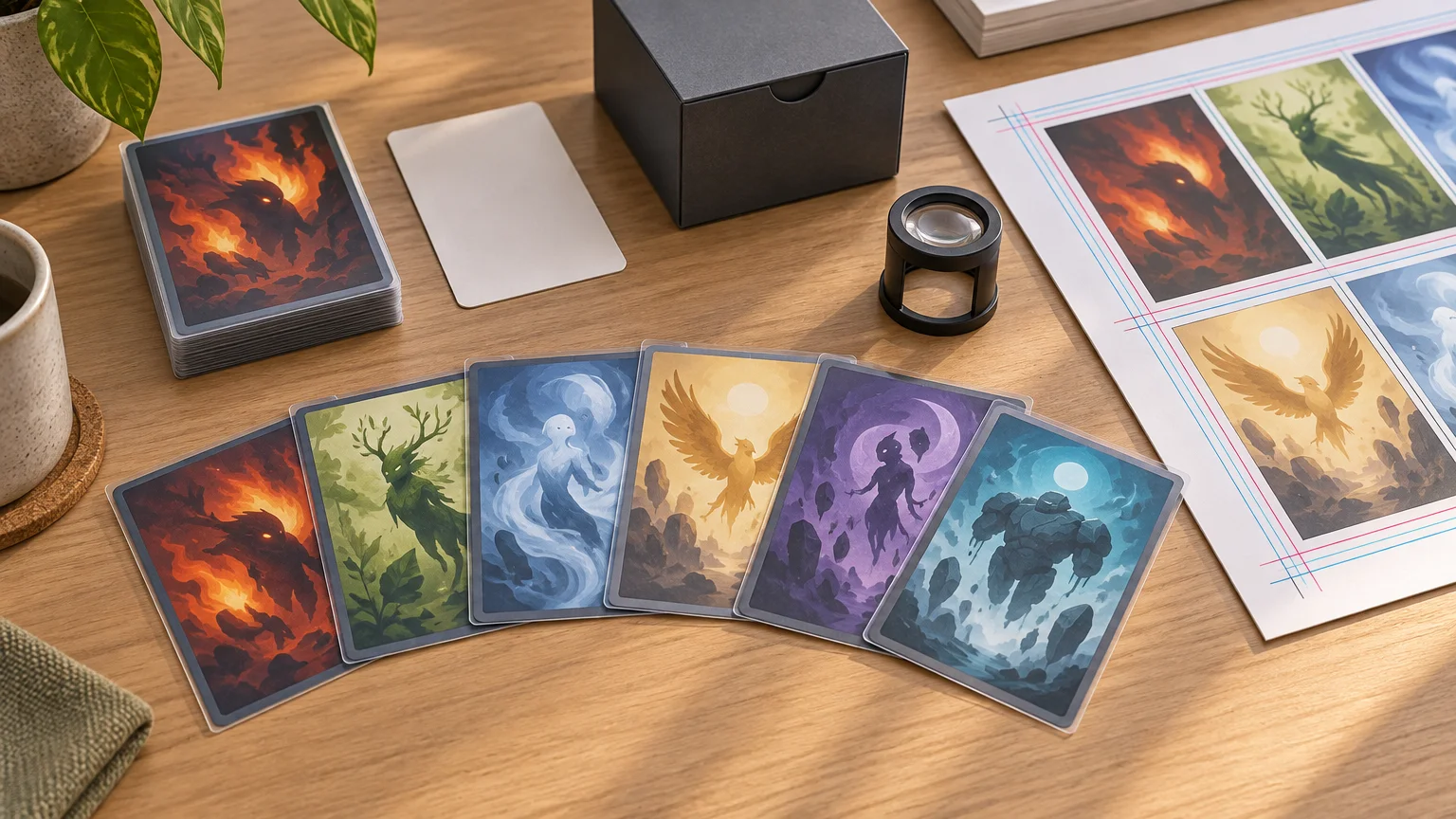
TLDR: For a dependable MTG token size color print quality workflow, start with a sleeve-friendly 2.5 × 3.5 inch format, build at 300 PPI, add the printer’s required bleed, and keep names and power/toughness comfortably inside the cut edge. Follow the selected printer’s color and export requirements rather than converting files by habit. Before committing to a large token package, inspect a small physical proof for readability, centering, color, front/back pairing, and sleeve fit.
Good token printing is less about imitating an official card and more about making the battlefield easy to read. Players should be able to distinguish a 1/1 Soldier from a 4/4 Angel without picking up every card. The practical MTG token size color print quality decision is therefore a package: physical dimensions, source-image detail, contrast, typography, material consistency, and a proofing process that catches mistakes before they multiply.
Token size can mean two different things
A token’s physical size is separate from its in-game characteristics. A 1/1 and a 10/10 can be printed on identically sized pieces. The Magic Comprehensive Rules define a token as a marker representing a permanent that is not represented by a card; even if a card-shaped object represents it, the token itself is not a card. You can review the underlying definition in the official Magic Comprehensive Rules.
That distinction gives casual players flexibility. Dice, purpose-made token cards, and other unambiguous markers can serve different situations, subject to the rules of the game or event. For an organized printed set, however, standard card proportions are convenient because they fit familiar sleeves, deck boxes, storage dividers, and battlefield layouts.
PrintMTG’s published file requirements use a 2.5 × 3.5 inch trim target, also stated as 63 × 88 mm. That is a practical baseline for sleeve-friendly token cards, not a universal rule requiring every token marker to have those dimensions.
MTG token size, color, and print quality file setup
| File area | Physical dimensions | Pixels at 300 PPI | Purpose |
|---|---|---|---|
| Finished trim | 2.5 × 3.5 in | 750 × 1050 px | Intended final card face after cutting |
| Canvas with 0.125 in bleed per side | 2.75 × 3.75 in | 825 × 1125 px | Allows artwork to extend beyond the trim edge |
The pixel figures follow directly from multiplying each dimension by 300 pixels per inch. For example, 2.5 inches × 300 PPI produces 750 pixels. Adding 0.125 inch on every edge increases the total width by 0.25 inch and the total height by 0.25 inch. PrintMTG currently asks for 300-resolution imagery at final size and 0.125 inch, or approximately 3 mm, of bleed for edge-to-edge artwork.
PPI is the more precise term for the image data in your file, while DPI technically describes printer output. The two terms are often used interchangeably in upload instructions. Adobe’s explanation of printed image resolution describes image resolution as the number of pixels assigned per inch.
Changing a low-resolution image’s metadata to 300 PPI does not create missing detail. If a small image is enlarged to 750 × 1050 pixels, interpolation may make the file dimensions look correct while names, symbols, outlines, and fine artwork remain soft. Start with source art that has enough real pixel information at the intended print size.
Treat bleed and safe areas as different controls
Bleed protects the outside edge. Extend backgrounds, textures, and borderless art through the entire bleed area so a small cutting shift does not reveal an unintended white strip. The guide to avoiding white edges on printed cards explains why edge artwork must continue past the trim line.
A safe area protects important content on the inside. Keep the token name, subtype, rules reminder, loyalty-style counters, and power/toughness away from the trim edge. Do not assume a generic safe-margin measurement applies to every printer. Download the current provider template and use its guides, because the supplied requirements establish the bleed amount but do not specify one universal safe-zone measurement.
Borders also need tolerance. A very thin frame can make a small cutting shift look dramatic, even when no information is lost. A wider border, borderless background, or intentionally forgiving frame usually produces a more consistent-looking batch.
Build for table-distance readability
A token succeeds when it communicates quickly during play. Decorative detail is secondary to identity and state. Establish a clear information hierarchy rather than shrinking every possible sentence into the frame.
- Make the token name or creature type prominent enough to scan across the table.
- Give power and toughness a stable, high-contrast location when those values are fixed.
- Include rules text only when it prevents a meaningful gameplay mistake.
- Use a distinct visual cue for tapped, flying, attacking, legendary, or otherwise unusual tokens when the distinction matters to the deck.
- Do not rely on color alone. Combine color with names, icons, patterns, frame shapes, or artwork differences.
- Test the layout at its final physical size instead of evaluating only a zoomed-in monitor view.
Repeated tokens benefit from consistency, but similar tokens need deliberate differences. If a deck creates 1/1 white Soldiers, 1/1 colorless Thopters with flying, and 1/1 red Goblins, give each a stable label and visual system. If two versions share almost the same illustration and frame, sorting may be easy while battlefield recognition is not.
Choose RGB or CMYK based on the output workflow
There is no single color-mode answer for every printer. PrintMTG’s current submission requirements specify CMYK. Files prepared for that service should follow its current profile and export instructions rather than using an arbitrary CMYK preset. When preparing a commercial card-printing order, confirm the live template and file requirements before exporting the final batch.
Desktop printing often follows a different path. Adobe explains that desktop printers generally accept RGB data and perform their own conversion; converting RGB to CMYK first can cause another unpredictable conversion later in the workflow. Use the printer manufacturer’s recommended settings and profiles instead of treating commercial-press requirements as universal.
Screens emit light, while printed surfaces reflect it, so exact visual matching should not be assumed. Monitor calibration, the correct printer-and-paper profile, and soft proofing can improve predictability, but a physical proof under ordinary play lighting is still the useful final check. Pay particular attention to dark art, saturated reds and blues, shadow detail, and low-contrast text boxes.
Export files that survive production handoff
For its workflow, PrintMTG recommends print-ready PDF files, preferably PDF/X, with fonts embedded or converted to outlines. It also recommends higher-resolution source material for line art. A PDF can preserve page dimensions, positioned elements, and font handling more reliably than a collection of loosely exported images.
Outlining fonts can prevent substitution, but it also makes later text editing less convenient. Keep an editable master file, then produce a separate outlined or embedded-font delivery copy. Open the exported PDF and inspect it rather than assuming a successful export means a successful file.
Technical preflight cannot determine whether your token is correct. PrintMTG explicitly notes that its preflight does not guarantee card names, text, art choices, versions, or token characteristics. Those are project-owner checks. A beautifully exported 2/2 token is still wrong if the deck creates a 3/3.
Keep material and finish consistent across the package
Material and coating choices should be evaluated as batch properties. Mixing finishes may make part of a token set glare differently, feel different inside sleeves, or look mismatched when replacement tokens are added later. Save the exact option names shown at checkout with the project archive.
PrintMTG currently describes its cards as S33 German Black Core cardstock with a matte-satin UV coating, and lists opacity, consistent dimensions, clean edges, and uniform corners among its intended characteristics. These are provider-stated specifications, not independent durability measurements or evidence that the cards match official products. Recheck them before ordering because materials and finishes can change.
Inspect a test batch before scaling up
A test batch is most valuable when it represents the difficult parts of the full project. Include the darkest artwork, smallest text, brightest colors, a borderless design, a token with detailed rules text, and any double-faced pairing. That reveals more than printing ten nearly identical 1/1 tokens.
- Verify token names, creature types, colors, abilities, and power/toughness against the deck’s actual effects.
- Check that every image is sharp at normal viewing distance and no font has been substituted.
- Inspect all four edges for unintended white slivers or clipped content.
- Compare centering and border balance across several cards, not just the best-looking example.
- Confirm fronts and backs are paired correctly for double-faced or transforming designs.
- Place samples in the sleeves intended for play and check fit and readability without claiming unsleeved dimensions from appearance alone.
- View the cards under the lighting normally used for games and check shadow detail, contrast, and glare.
- Record defects with clear photographs before sorting or extensively handling the batch.
The provider’s published quality terms currently identify readable printing, consistent color and finish within an order, clean cuts, uniform corners, correct contents, and suitable packaging as expected outcomes. They also exclude many errors originating in supplied files, including low resolution, spelling mistakes, wrong art, and incorrect lists. That makes content proofing and production inspection two separate jobs.
Plan token quantities from board states, not deck size
A 100-card Commander deck does not automatically need 100 tokens. Start by listing every effect that creates a token, then estimate how many copies may exist simultaneously in an ordinary game. Add extras for tokens that multiply quickly, but avoid printing large piles for effects that are rarely active together.
Separate fixed tokens from flexible markers. A deck may need several dedicated Treasure and creature tokens but only one copy token with a dry-erase or removable marker system. Cubes and shared environments need a different calculation because several drafters may require the same token at once. The batch-planning guide for MTG print projects can help organize quantities across decks or a larger play environment.
Archive the editable source files, exported production PDFs, token list, quantities, revision date, dimensions, bleed setting, color profile, font files or licenses where applicable, and selected material and finish. A useful filename might include the deck, token package revision, and export date. That record makes a replacement batch easier to reconstruct months later.
Casual tokens should be clearly unofficial
Print MTG Cards positions proxy-style products for casual play, testing, and personal use rather than as tournament-legal originals. Use clearly unofficial presentations and avoid official backs, security features, or anything intended to misrepresent a token as an authentic Wizards-printed card. For a sanctioned event, check the current event rules and speak with the organizer rather than assuming a personally printed token or playtest card will be accepted.
Frequently asked questions
Are MTG tokens required to match regular card dimensions?
No universal token-card dimension is established by the cited token definition. A token is a marker representing a permanent, not a card. Standard card proportions remain a convenient choice because they work with common sleeves, storage, and battlefield layouts.
What pixel dimensions should I use at 300 PPI?
For a 2.5 × 3.5 inch trim area, use 750 × 1050 pixels. With 0.125 inch bleed on every side, the full canvas becomes 2.75 × 3.75 inches, or 825 × 1125 pixels. Confirm that those dimensions still match your provider’s current template before export.
Why does sharp screen artwork print softly?
The file may be displayed enlarged on screen, may contain insufficient original pixel detail, or may have been resampled from a smaller source. Small text and line art reveal this quickly. Evaluate the image at its final physical dimensions and avoid treating a changed PPI label as newly created detail.
Should every token have a printed back?
Not necessarily. Single-faced tokens may use a clearly unofficial shared back, while transforming or double-faced token concepts require deliberate front/back pairing. Decide this before submission, include pairings in the batch sheet, and inspect the physical proof to ensure fronts were not matched with the wrong backs.
How many copies of each token should I print?
Estimate the maximum simultaneous battlefield need rather than printing one token per card in the deck. Add a modest buffer for frequently copied or doubled tokens. For a Cube or group project, account for multiple players creating the same token during one game.
Run one final preflight
Before uploading, confirm the trim dimensions, bleed, real image resolution, color mode, PDF export, font handling, token characteristics, quantities, and front/back map. Then open the exported files at final size and inspect every design. A small representative proof is the last checkpoint between a tidy token package and an entire batch of repeated mistakes.